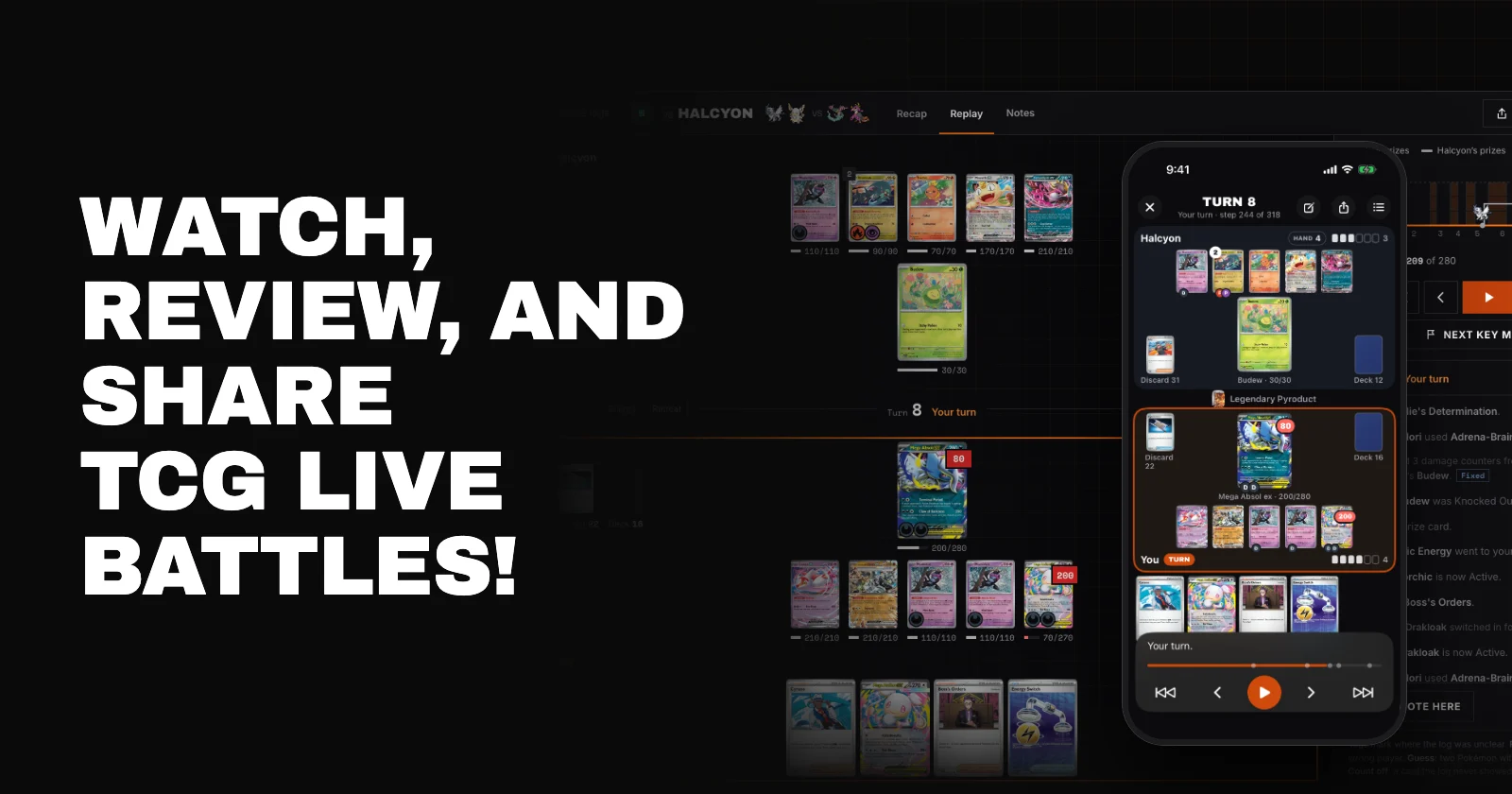
You lost a close one on TCG Live, and you can't quite remember where it got away from you. Was it the turn you benched the wrong Pokémon? The Boss's Orders you saw coming but couldn't stop?
Now you can go back and look. Battle Replays turn any TCG Live battle log into a game you can watch, card by card, on lostzoneleague.com and in the TCG Tracker app.
Every turn, back on the board
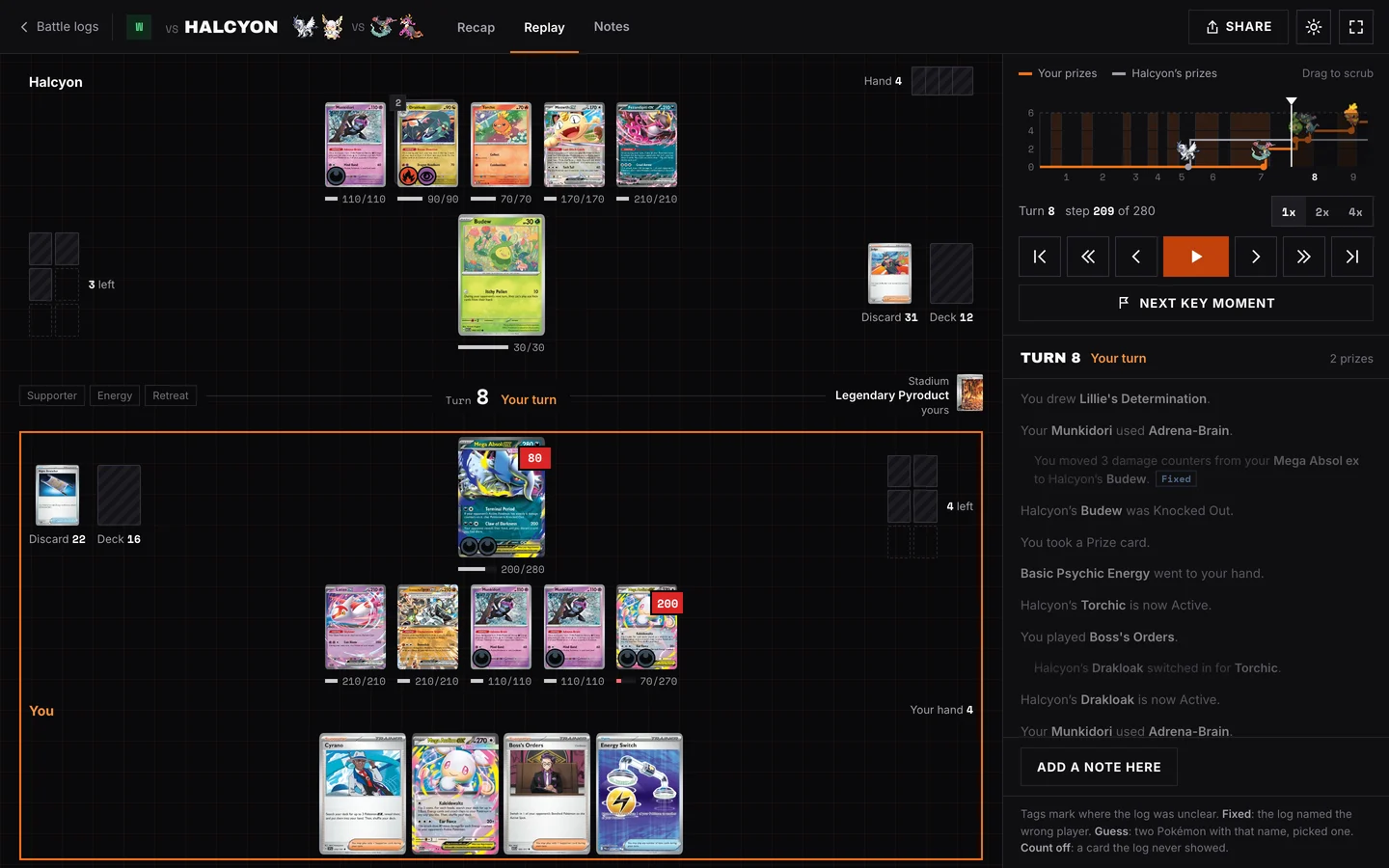
Paste a battle log and the whole game is laid out on a real board: both Active Pokémon, the Benches, your hand, Prize cards, discard piles, the Stadium and the real card art. Step through one action at a time, skip turn by turn, or press play and watch at 1x, 2x or 4x.
You see each play as it happens: the Trainer being played, the attack or Ability in use, coin flips, damage and Knockouts. The turn log runs alongside, so you can read exactly what happened and jump to any line.
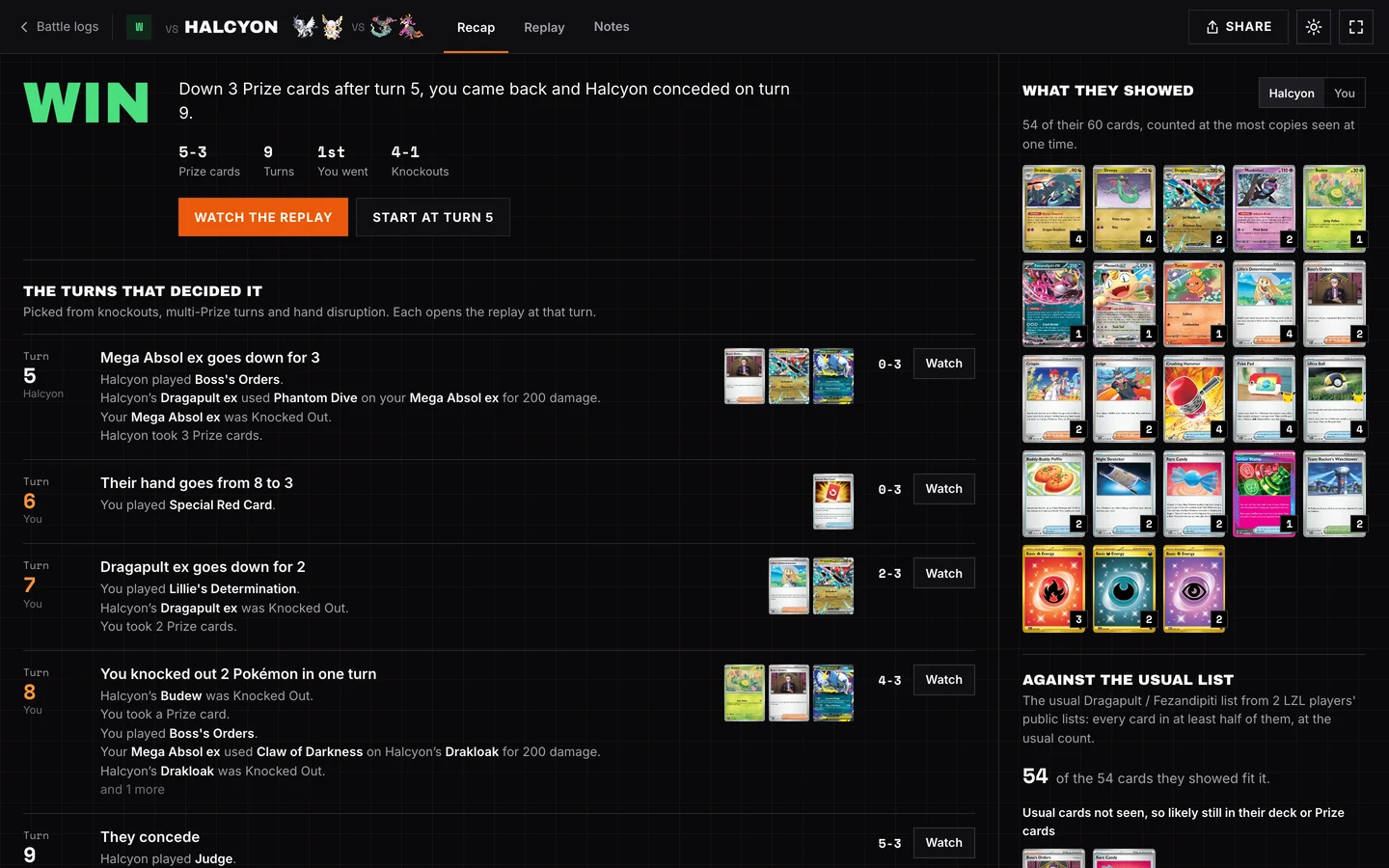
The recap: the turns that decided it
Every game opens on a recap. It tells you how the game went in a sentence, then picks out the turns that mattered: Knockouts, multi-Prize turns and hand disruption. Tap any of them to watch that moment.
The recap also shows every card your opponent revealed, and compares them with the usual Lost Zone League list for their deck, built from players' public lists. You'll see which cards matched and which usual cards you never saw, so you know what was probably still in their deck or Prize cards.
Your draws
Link a game to the deck you played from your Decks, and the recap works out the odds of what you drew. Was that dead hand bad luck, or a sign the list needs another draw Supporter? Now you can check.
In the TCG Tracker app
Replays are in the TCG Tracker iPhone app too. Open Logs, tap Watch on any game, and step through it with one thumb. Tap any card in your hand or on the board to see it up close, with its Energy, Tools and everything it did that game.
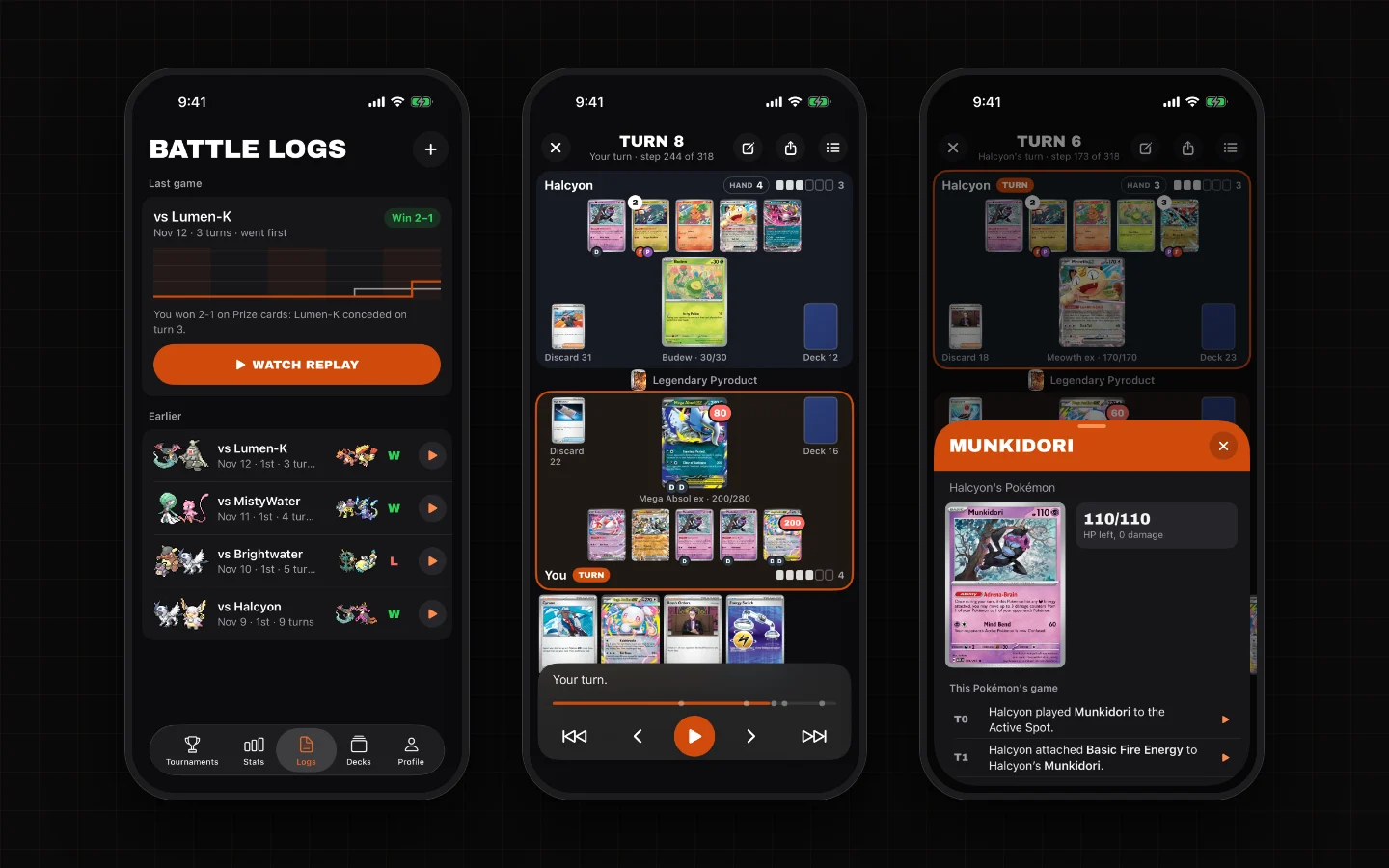
Prefer the browser on your phone? The website's replay has its own phone layout, with your hand along the bottom and the controls under your thumb.
Notes and sharing
Add a note at any moment in the game, like "should have kept Budew on the Bench" or "this is the turn to Boss." Notes are private unless you choose to share them.
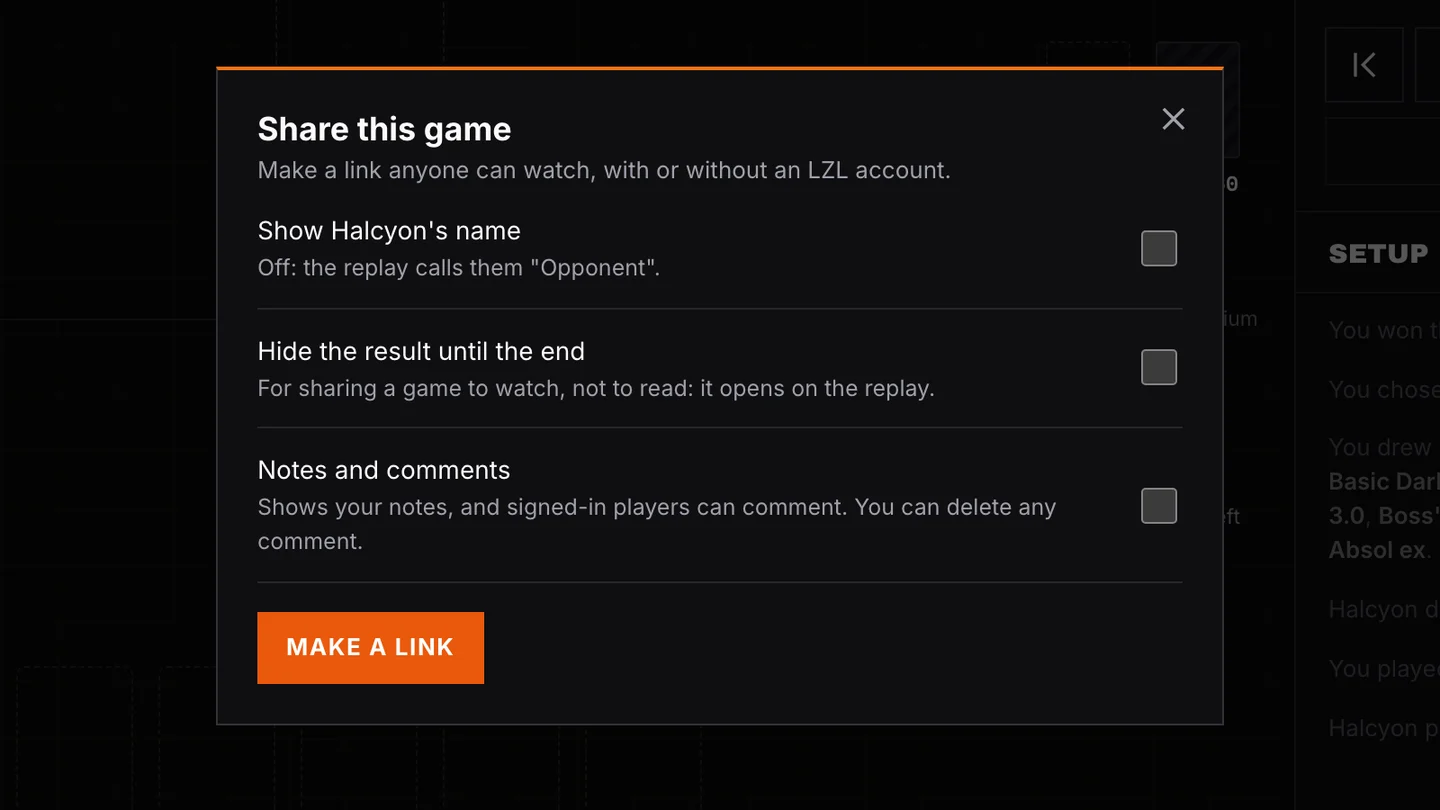
When you want a second opinion, make a share link. Anyone can watch it, with or without an LZL account. You decide:
- Your opponent's name: hidden by default. The replay calls them "Opponent" unless you choose to show it.
- Hide the result until the end: for sharing a game to watch, not to read. The recap stays hidden until the replay reaches the last turn.
- Notes and comments: show your notes and let signed-in players comment on the website. You can delete any comment.
Shared links never include your decklist. You can stop sharing whenever you like.
How to watch your first game
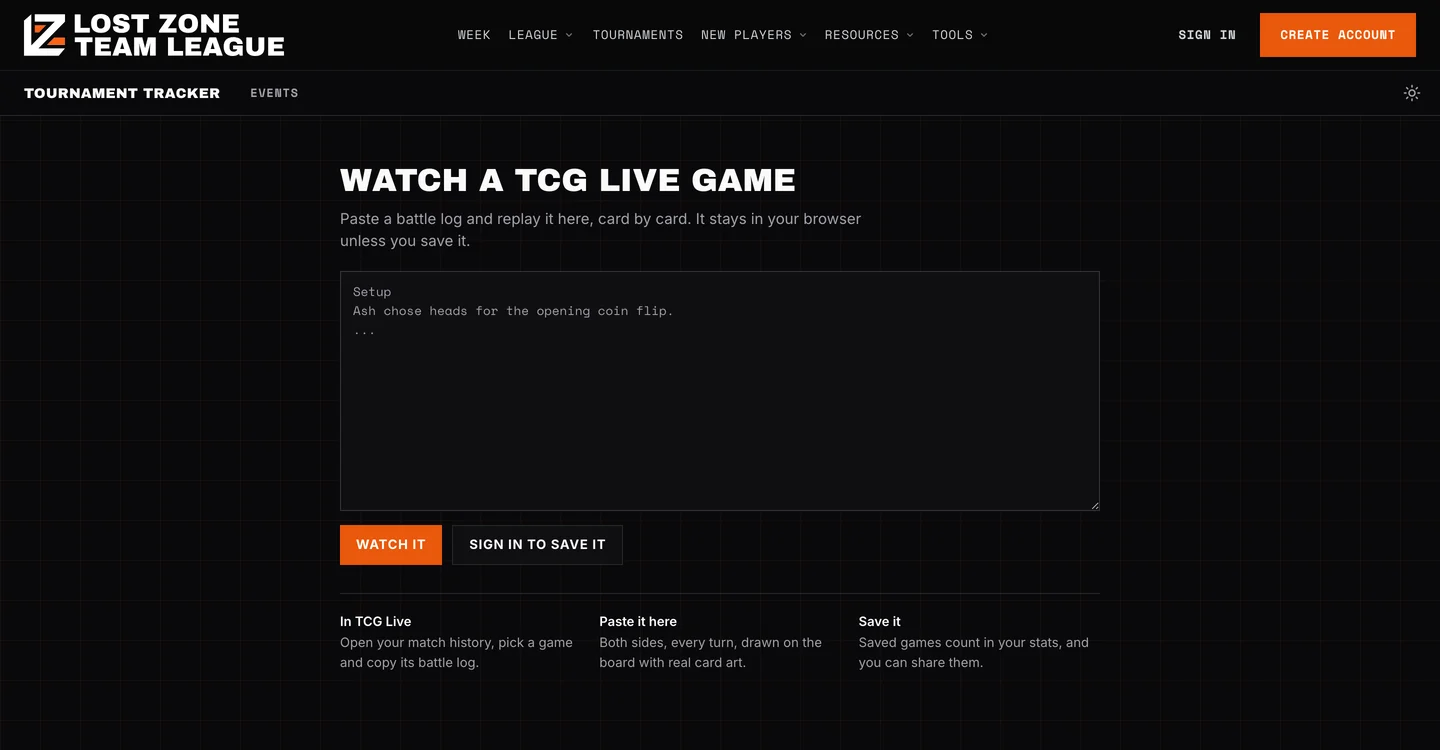
- In TCG Live, open your match history, pick a game and copy its battle log.
- On the website, open the Battle logs page in the Tournament Tracker and choose Paste a battle log. In the app, open Logs and tap +.
- Check the players and the result, save, then tap Watch.
Saved games also count in your Stats, with your record by deck and your win rate going first or second.
Just want to watch a game without saving it? Paste it here. It works without an account, and the log stays in your browser.
A note on accuracy
A battle log doesn't record everything, so the replay rebuilds the game from what it does say. Where the log is unclear, for example when it names the wrong player or two Pokémon share a name, the replay marks that step so you know. If a game looks wrong, tell us in the LZL Discord and send the log. Every log we look at makes replays better for everyone.
The iPhone app is free on the App Store. Android is on the way.
Pull up the last game you lost, find the turn that decided it, and share it with your team.