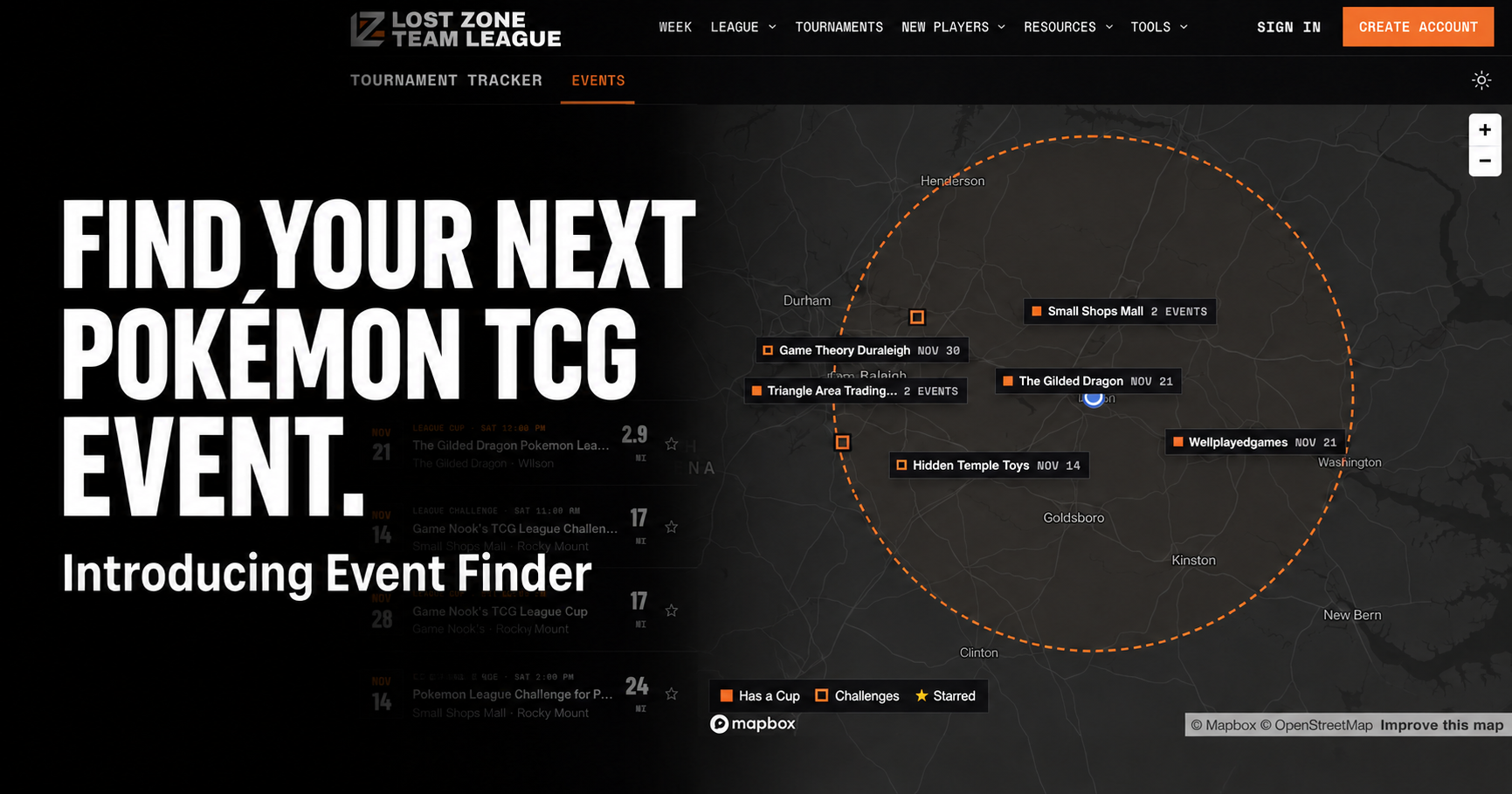
Event Finder is now available in the app and on the Lost Zone League website, making it easier to find your next League Challenge, League Cup, or Prerelease.
Whether you’re looking for a nearby tournament or planning a weekend around a Cup, you can start with a ZIP code and see what’s coming up around you.
Find somewhere to play
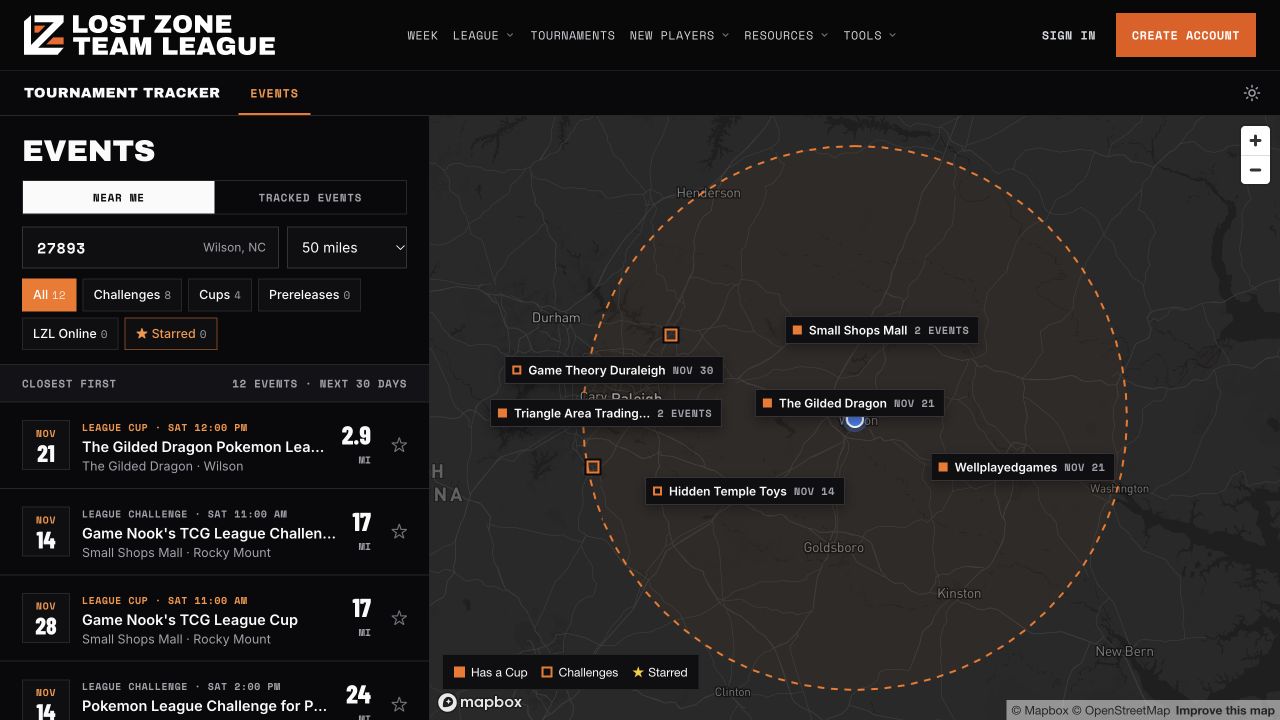
Search by ZIP code, choose how far you’re willing to travel, and filter by event type. Nearby events appear closest first, with their dates, stores, and distances ready to compare.
On the website, an interactive map sits alongside the event list, so you can see where events are happening and open a listing for more details. Looking specifically for a Cup? Use the Cups filter to narrow the results.
Keep your next event close
See something you want to play in? Star it, then use the Starred filter to return to your shortlist.
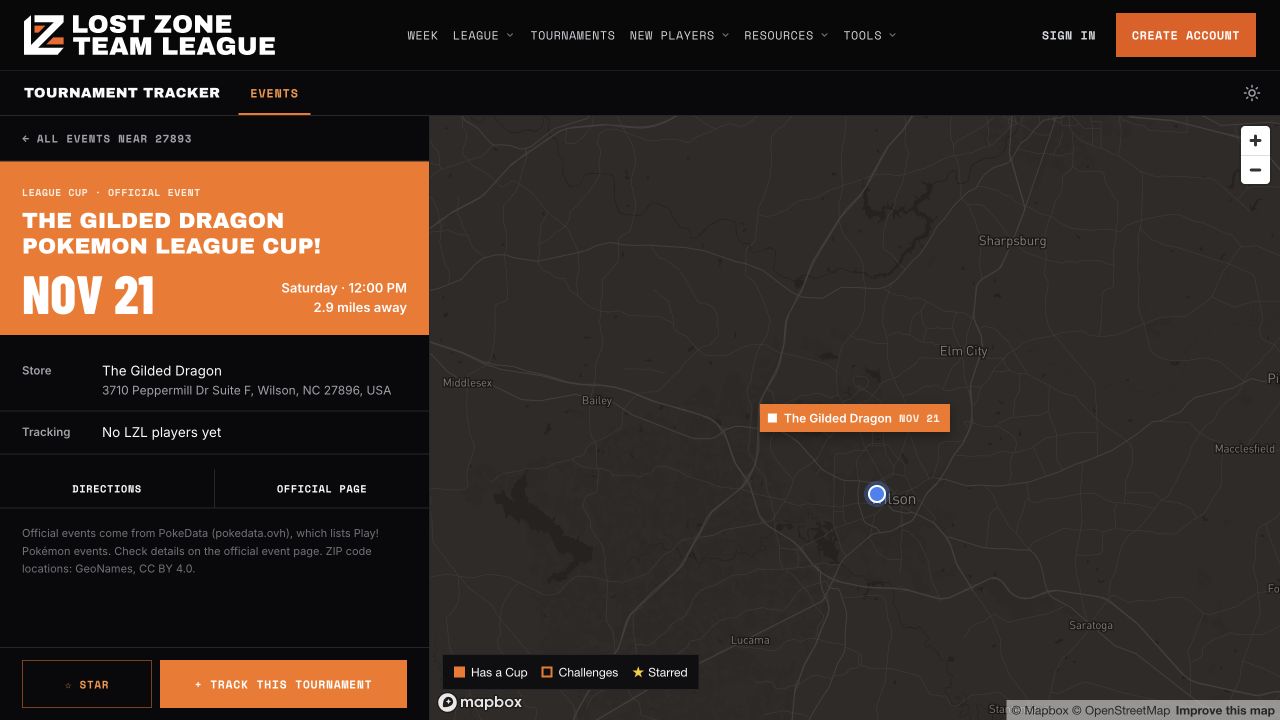
Each event’s detail view brings together the date, time, venue, and address, with links to directions and the official event page. It’s an easy way to move from “What’s happening near me?” to choosing your next tournament.
From finding an event to tracking your rounds
When you’re ready to log your tournament, select “Track this tournament” to open it in the Tournament Tracker. Find the event, bring your deck, and keep your rounds and results together afterward.
On the website, you can browse without signing in. Stars are saved in your browser when you’re signed out, and to your account when you’re signed in.
Start exploring
Event Finder currently covers US League Challenges, League Cups, and Prereleases, with listings supplied through PokéData. Check the linked official event page for the latest details and registration information before making plans.
Open Event Finder in the app, or try Event Finder on the website.
Your next tournament might be closer than you think.