Tournaments are now live on Lost Zone League. Alongside the weekly team season, you can now enter standalone Standard-format events that run Swiss rounds into a single-elimination top cut, all handled on the site: pairings, timers, check-in, result reporting, match chat, and judge calls.
This post walks through the whole thing from a player's point of view, so you know exactly what to expect when you sit down for your first event.
What a tournament is
A tournament is completely separate from the team league. You enter as an individual, not as part of your team, and you are paired against other individuals. Your team roster, your seed, and your PR are untouched by anything that happens in a tournament.
That last point is worth repeating: tournament results never affect your league PR. You can enter an event, run it back against players well above your rating, and your team's PR budget will not move a single point.
Every event runs Swiss rounds first, then cuts to single elimination. The structure is set automatically from how many players actually show up:
- 7 to 16 players: 4 Swiss rounds, Top 4 cut
- 17 to 32 players: 5 Swiss rounds, Top 8 cut
- 33 to 64 players: 6 Swiss rounds, Top 8 cut
- 65 to 128 players: 7 Swiss rounds, Top 8 cut
- 129 to 256 players: 8 Swiss rounds, Top 8 cut
Wins are worth 3 match points and ties are worth 1. Standings break ties on opponents' win percentage, then opponents' opponents' win percentage, the same way you would expect from a regular tournament.
Finding a tournament
Everything starts at the Tournaments page. Upcoming and live events are listed with their date, how many players have entered, the round structure, and what you can do next.
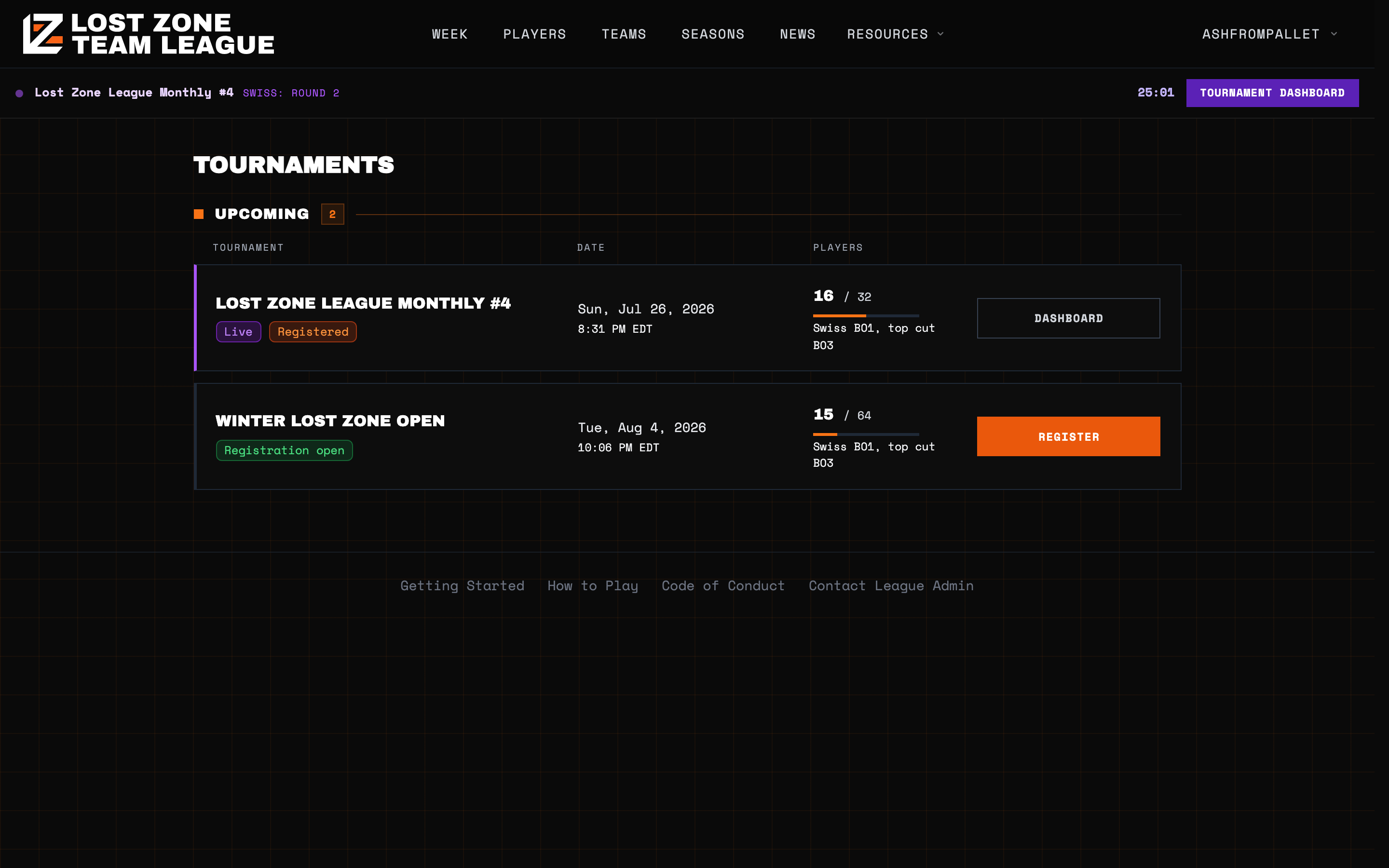
When an event you are in goes live, a purple bar appears at the top of every page on the site with the current round and a running timer, plus a shortcut straight to your tournament dashboard. You do not have to keep the tournament page open to know what is happening.
Registering
Open the tournament and press Register Now. That is the entire process. There is no fee, no separate signup, and no approval step.
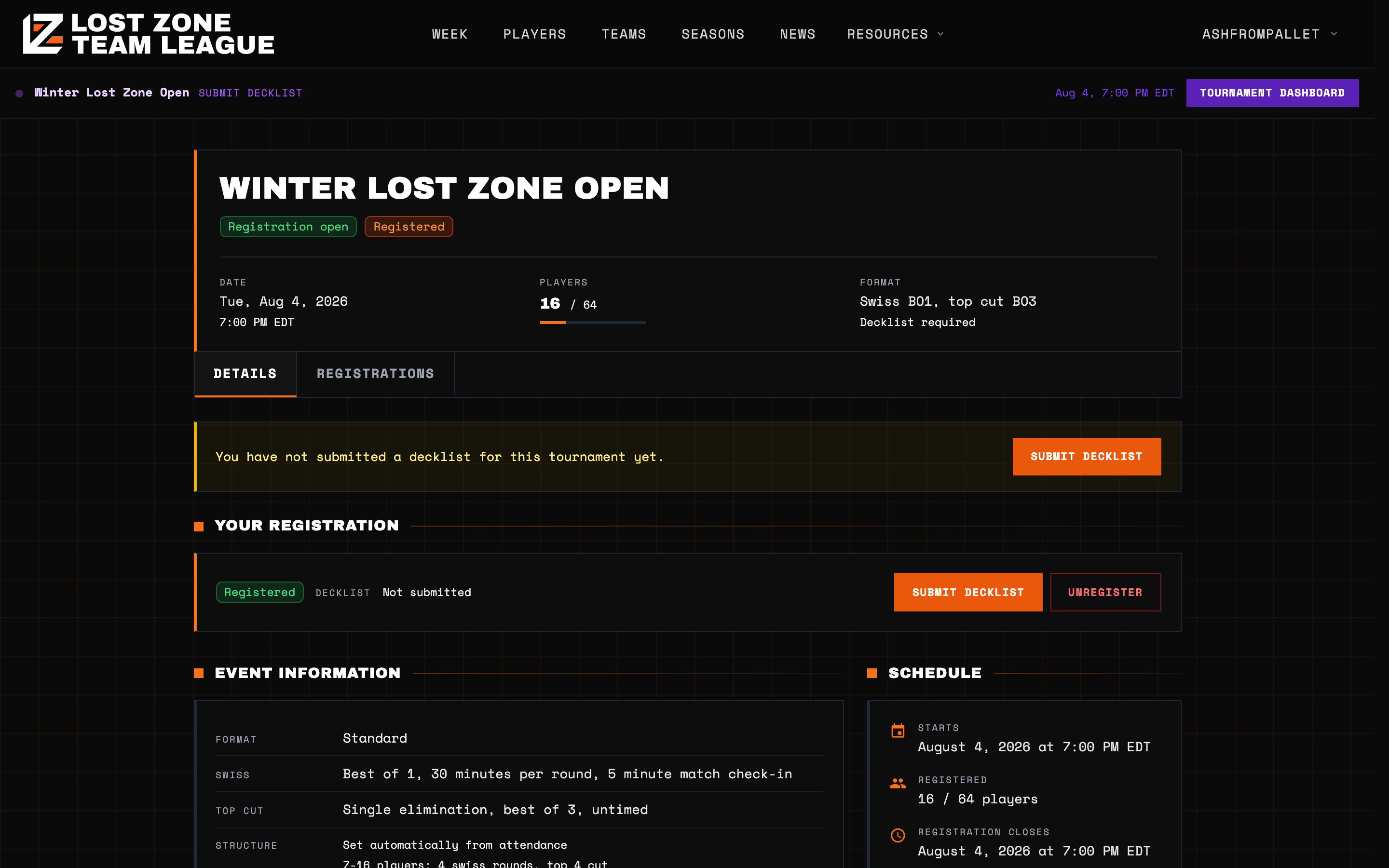
The Details tab lays out everything about the event before you commit: format, round length, check-in window, how the cut works, when decklists are due, and how scoring is handled. If you change your mind, an Unregister button sits on the same page and works right up until the tournament starts.
Submitting your decklist
Most events require a decklist. Until you submit one you will see a standing reminder on the tournament page.
Press Submit Decklist and you get two options. You can export your list from Pokemon TCG Live and paste it straight in, or pick a deck you have already saved in your deck wallet.
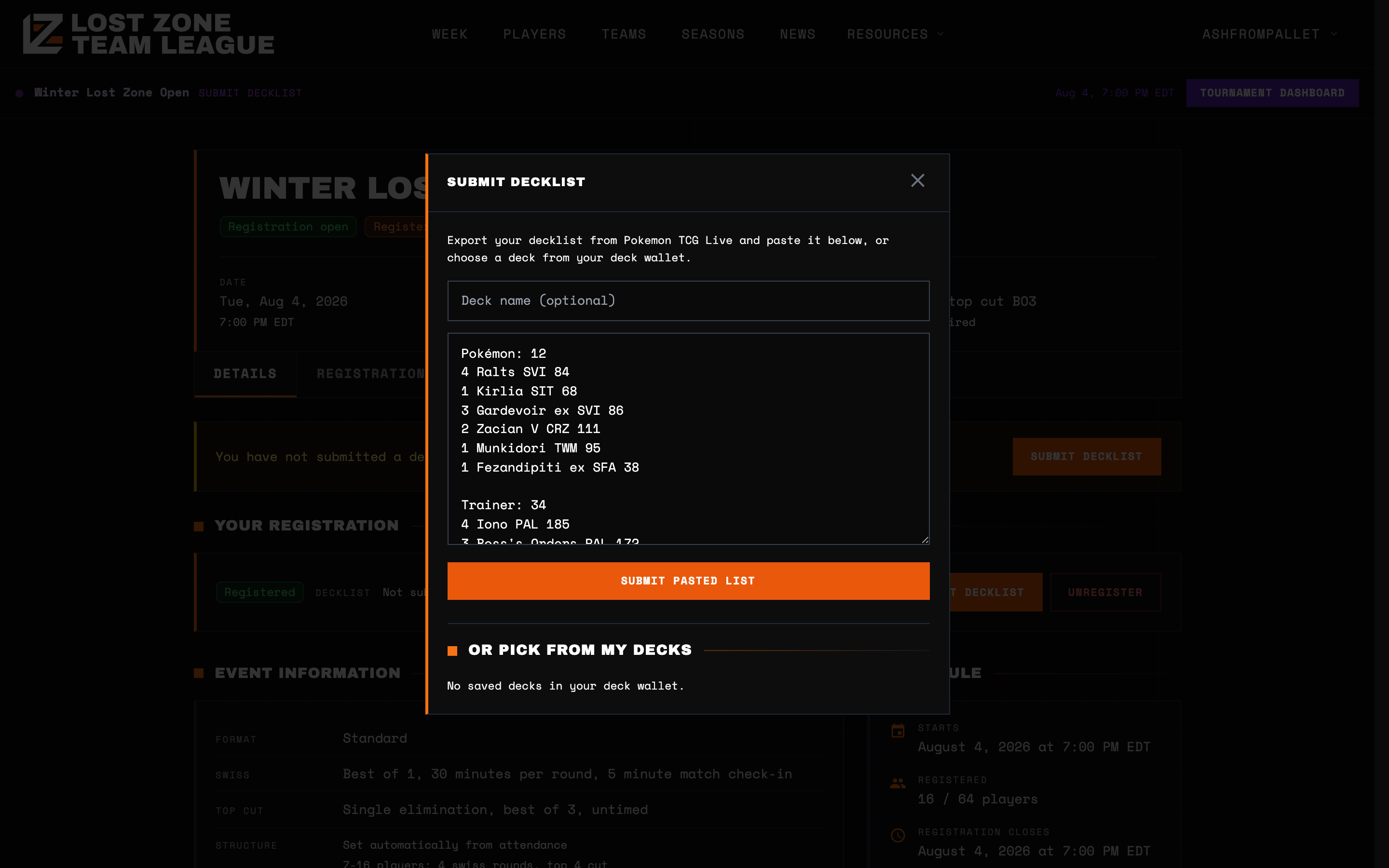
Pasted lists are parsed and checked automatically. You will be told immediately whether the list came back valid, and if something is wrong, which cards caused it. You can change your list as many times as you like before the event begins.
Once the tournament starts, decklists lock. The list you had submitted at that moment is snapshotted and becomes the one on record for the whole event. If the organizer has turned on open decklists, your opponent can view your list from inside your match, and you can view theirs.
Following the event
Pairings post the moment a round begins. Every table shows both players, their current records, and the decks they registered.
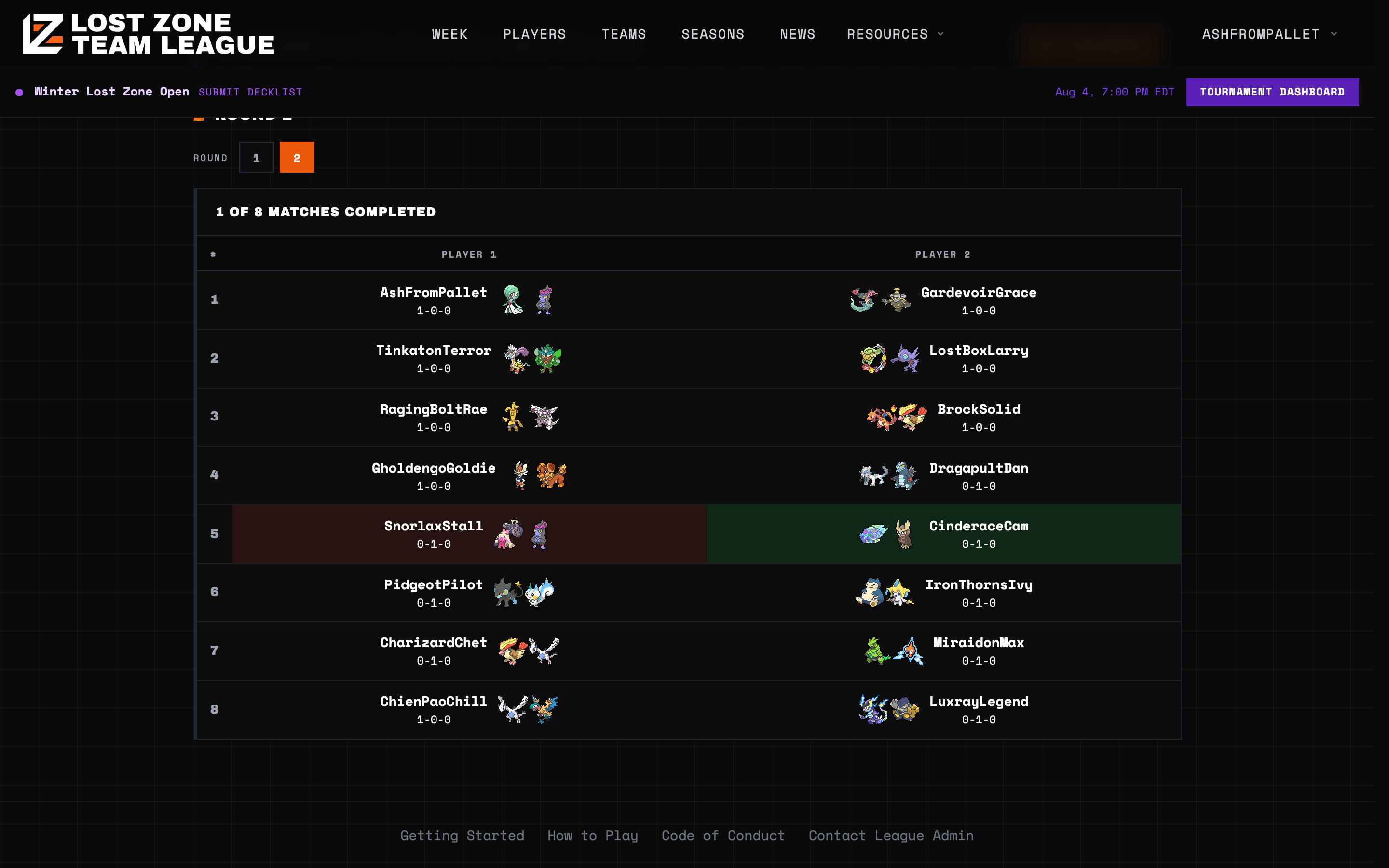
You can flip back to earlier rounds with the round selector, and completed matches are shaded to show who won. The banner at the top of the page takes you directly to your own match.
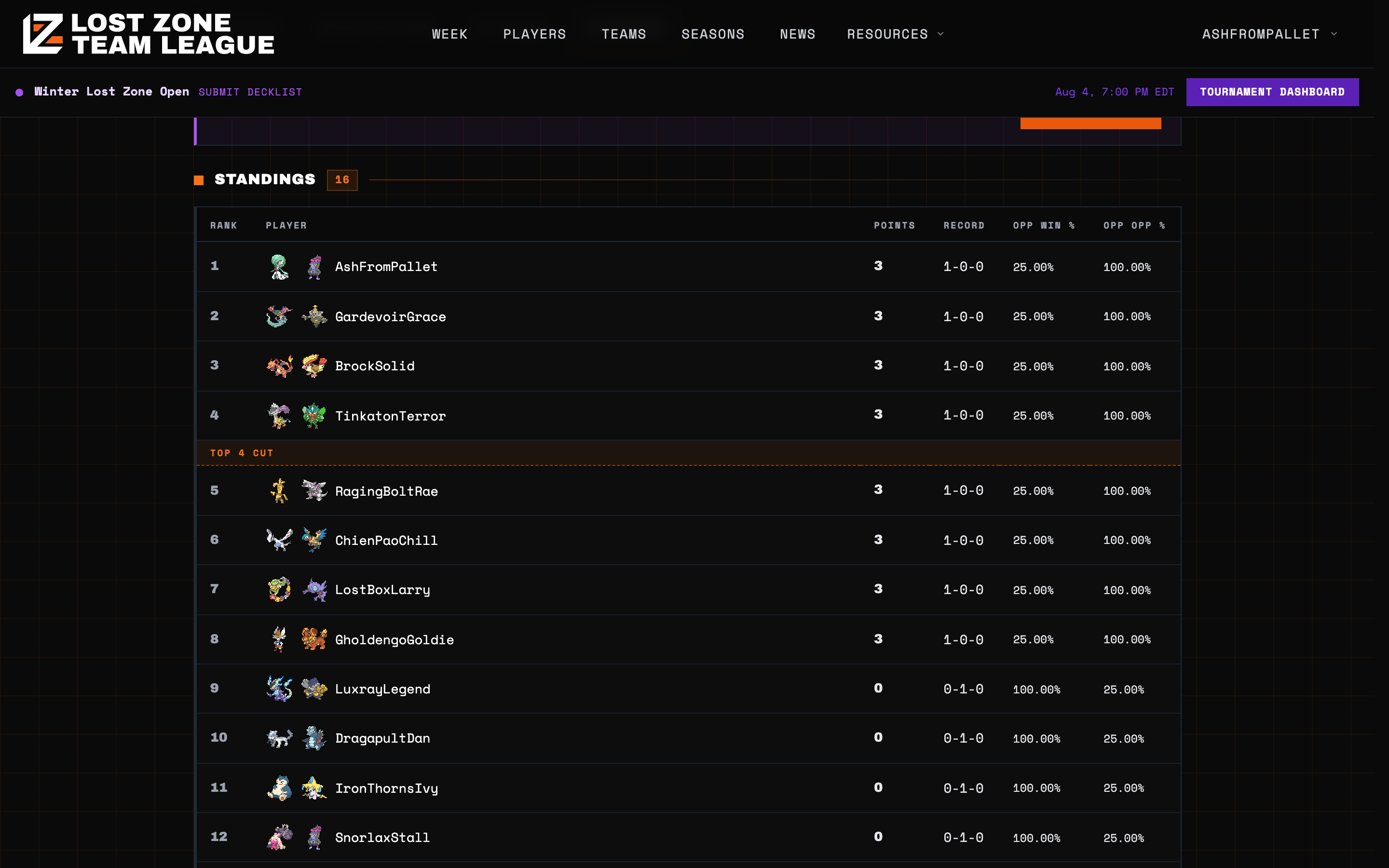
Standings update continuously as results come in, with the cut line drawn in so you always know where you stand relative to making Top 4 or Top 8.
Checking in
At the start of each round, both players have to check in. This is the one part of the event that is on a hard clock.
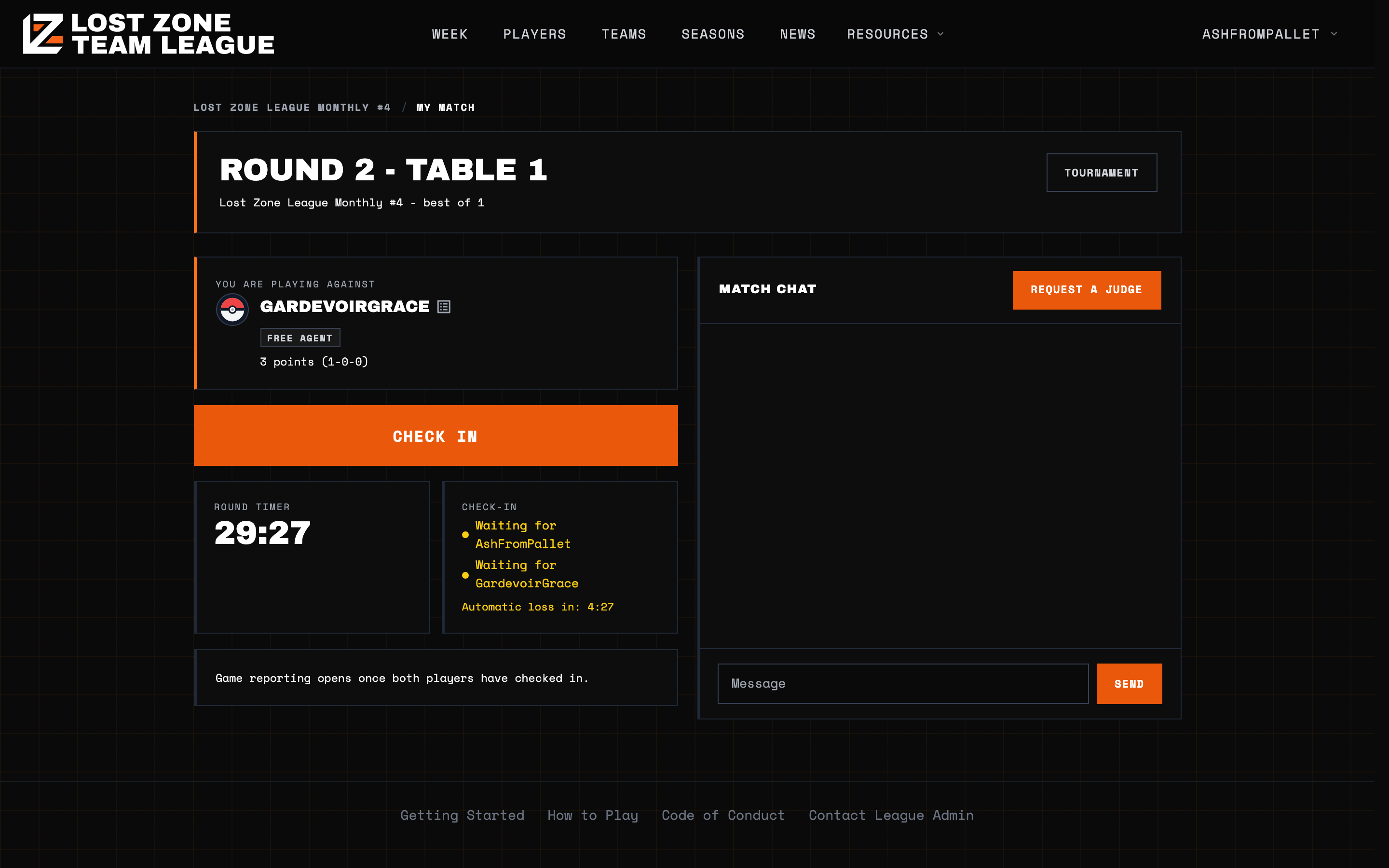
Your match page shows the round timer, who has checked in so far, and a countdown to the automatic loss. If you do not check in before that countdown expires, you take the loss for the round. If neither player checks in, both players take the loss. The window is set per event and is usually five minutes.
Check in as soon as pairings go up, even if you need a minute before you are ready to play. Checking in early costs you nothing.
Match chat
Every match has its own chat, so you never need to leave the site to coordinate with your opponent. Use it to trade in-game names, send the invite, and sort out who is going first.
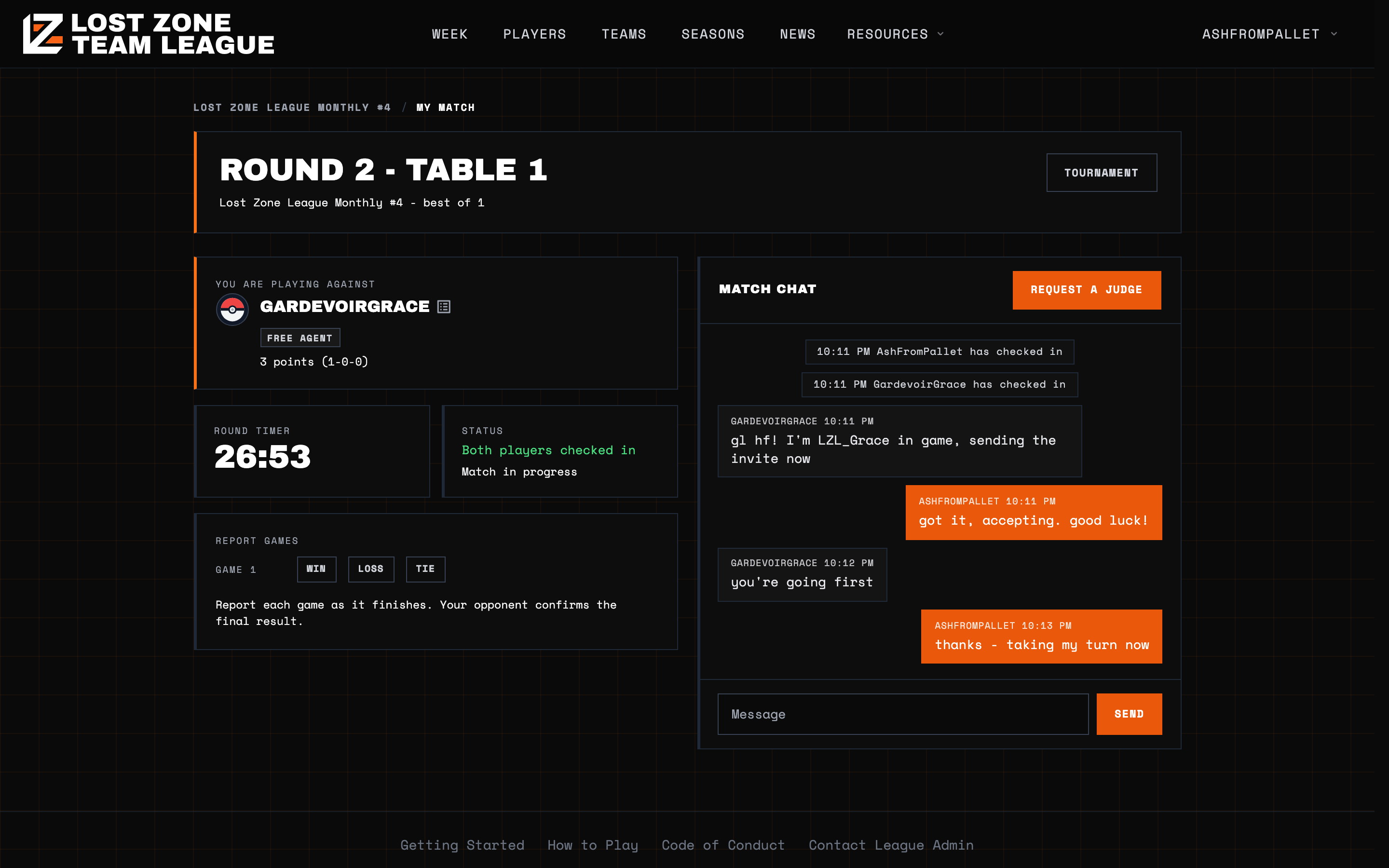
The chat doubles as a record of the match. Check-ins, reported games, and confirmations are all written into the same thread as system notes, so if anything is disputed later there is a clear timeline of what happened and when.
Calling a judge
If something goes wrong, press Request A Judge. Disconnections, a rules question, an opponent who has gone quiet, a misclick you cannot undo: all of it is worth a judge.
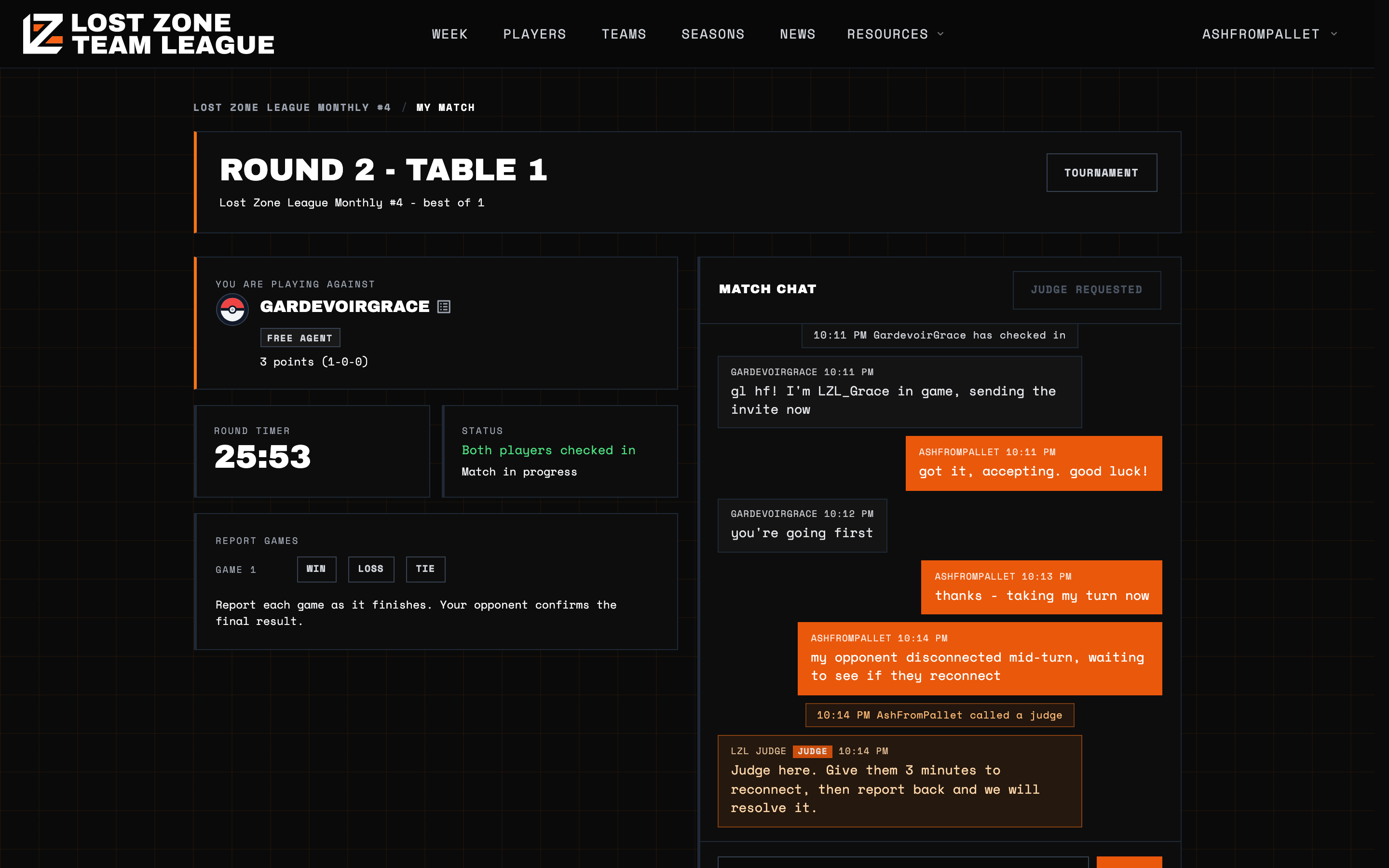
Your request is logged in the match thread and the button switches to Judge Requested so you can see it went through. Keep playing or wait as appropriate, and a judge will join the same chat you are already in.
On the other side, every open request lands in a judge queue, oldest first, visible to the whole admin team.
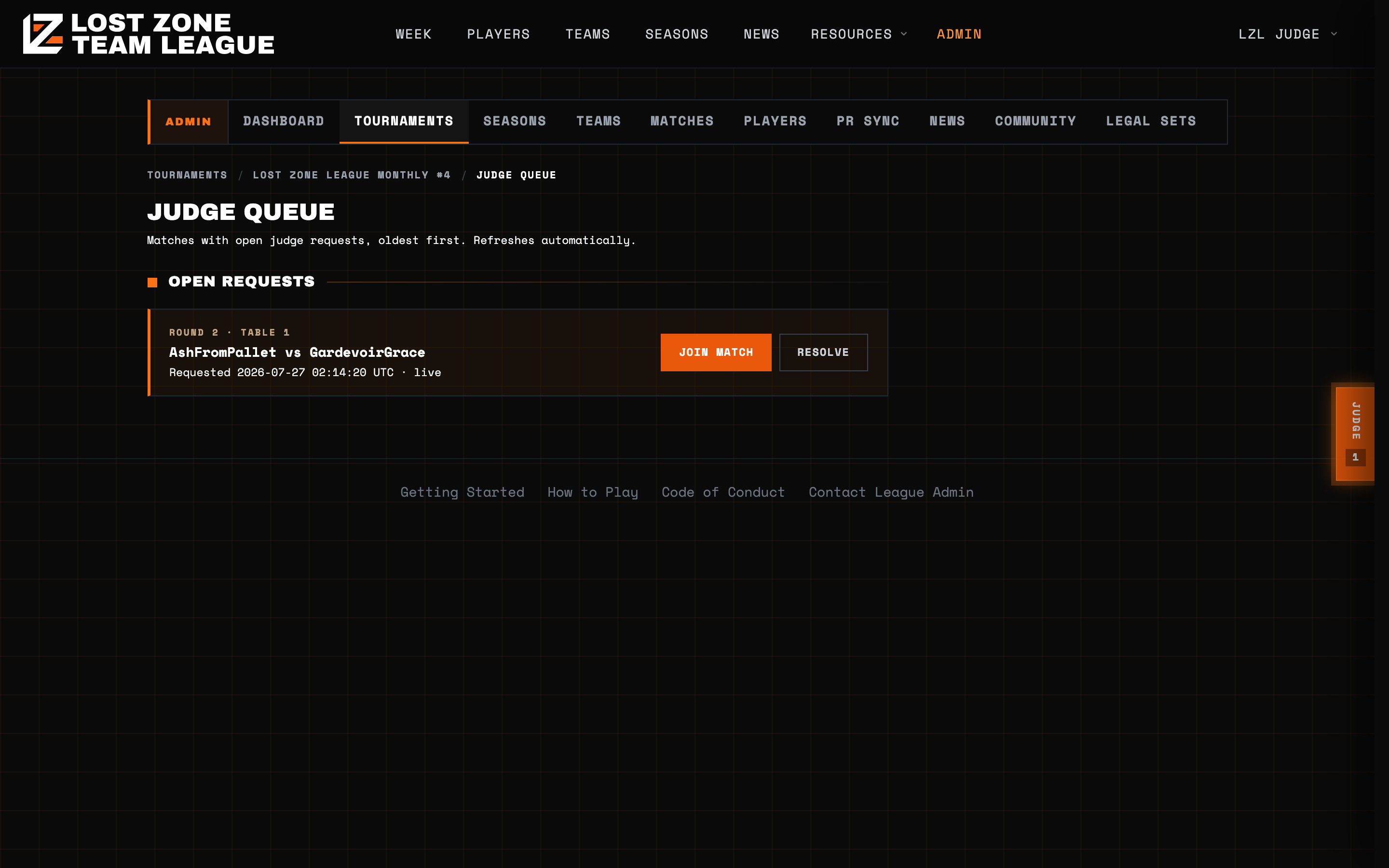
A judge can jump straight into your match, read the full history, talk to both players, and if it comes to it, record the result directly. Anything a judge does is written into the match thread as well, so both players can see it.
Reporting the result
Report each game as it finishes using the Win, Loss and Tie buttons on your match page. Reporting only opens once both players have checked in.
When the deciding game is reported, your opponent is asked to confirm. If they do not act, the result auto-confirms shortly afterward, so a slow or absent opponent cannot leave your match hanging. Once confirmed, standings update and the result is final.
If the round timer runs out before your game finishes, standard Pokemon end-of-game turns apply. You do not stop playing the moment time is called. The player whose turn is in progress is on turn 0, and three more turns are then played: turn 1, turn 2, turn 3. If someone wins during those turns in the normal way, that is a real win and you report it as one.
If nobody has won by the end of turn 3, the game is a tie. Prize counts do not break it, so whoever happens to be ahead on Prizes does not take the game. Report it with the Tie button. The match result then follows from the games: in a best-of-1 a tied game is a tied match worth 1 match point each, and in a best-of-3 whoever leads on games won takes the match, with level games recorded as a tie.
Cut rounds are untimed by default precisely so this does not come up. They have to be played to a decision.
A few things worth knowing
- Your PR is safe. Nothing that happens in a tournament touches your league PR or your team's budget.
- You do not need a team. Free agents and rostered players enter on exactly the same footing.
- Check in immediately. The single most common way to lose a round you could have won is missing the check-in window.
- Keep the match page open. It refreshes on its own, and it is where your opponent and any judge will reach you.
- Submit your list early. Lists lock the moment the tournament starts, and an unsubmitted list can cost you your entry.
Head to the Tournaments page to see what is currently open. If you run into something that looks wrong, call a judge during an event or contact a league admin afterward, and we will sort it out.